



Introduction
The Dell 43 Inch Monitor is a feature-packed, ultra-wide 4K display that combines performance, precision, and versatility to meet the needs of modern professionals and tech enthusiasts alike. Designed to enhance productivity and deliver exceptional image clarity, this monitor offers a spacious screen ideal for multitasking, high-resolution content creation, and immersive media experiences.
With its impressive display quality, IPS panel technology, ergonomic adjustable stand, built-in speakers, and energy-efficient design, the Dell 43 Inch Monitor stands out as a premium choice. It supports advanced features like Picture-by-Picture (PBP) and Picture-in-Picture (PiP), multiple connectivity options including HDMI, DisplayPort, and USB-C, and boasts excellent color accuracy with wide color gamut support.
Available in a sleek black finish and priced between $700 and $1,200 depending on the model, the Dell 43 Inch Monitor provides a compelling balance of performance and value—making it a smart investment for professionals in design, development, business, and beyond.
| Categories | Details |
| Dell 43 Inch Monitor | Ultra-Wide Display |
| Price | Different Range |
| Display Quality | Crisp Resolution |
| Panel Technology | IPS Panel |
| Refresh & Response | Moderate Speed |
| Connectivity | Multiple Ports |
| PBP & PiP | Multitasking Features |
| Adjustable Stand | Ergonomic Design |
| Built-in Speakers | Audio Convenience |
| Colors | Sleek Aesthetic |
| Color Accuracy | Professional Calibration |
| Brightness & Contrast | Visual Clarity |
| Energy Efficiency | Eco Friendly |
| Setup | Easy Installation |
| Software Compatibility | Cross-Platform |
| Support & Warranty | Reliable Assistance |
Dell 43 Inch Monitor
The Dell 43 Inch Monitor is a top-tier, ultra-wide 4K display designed to provide a vast and immersive viewing experience. One of the most well-known models in this size range is the Dell P4317Q, though Dell has also released newer models under their UltraSharp and C Series lines. The P4317Q offers a 3840 x 2160 resolution with a 16:9 aspect ratio, making it perfect for users who demand exceptional clarity and screen real estate. The panel type is typically IPS (In-Plane Switching), ensuring consistent and accurate colors from all viewing angles.
With built-in features like multi-client display, which allows users to connect and manage multiple PCs without needing additional monitors, the Dell 43 Inch Monitor aims to boost productivity in professional environments. The monitor includes a wealth of ports (HDMI, DisplayPort, USB, etc.), allowing seamless integration with a range of devices. Its matte black design with narrow bezels provides a sleek, modern aesthetic suitable for both home and office environments.
Price
Pricing for the Dell 43 Inch Monitor can vary significantly based on the model and where you purchase it. On average, the monitor tends to be priced between $700 and $1,200, depending on sales and promotions. It’s essential to check various retailers, including Dell’s official website, Amazon, and other electronics outlets, to find the best deal. Seasonal sales, such as Black Friday or back-to-school promotions, may offer substantial discounts, making it a great time to invest in this monitor.
Features
Display Quality
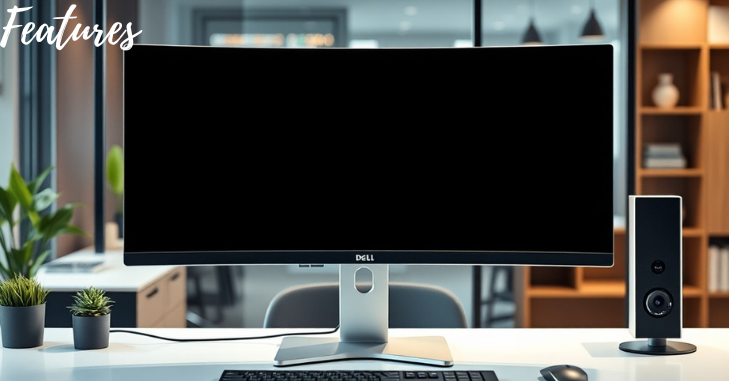
With its breathtaking 4K UHD resolution (3840 x 2160 pixels), the Dell 43-inch monitor produces vivid colors and sharp images. This high resolution is particularly beneficial for tasks that require detailed visuals, such as photo and video editing, gaming, and multi-tasking with numerous windows open simultaneously.
Panel Technology
The monitor features an IPS (In-Plane Switching) panel, which ensures excellent color accuracy and wide viewing angles. This means that whether you are sitting directly in front of the monitor or off to the side, you can expect consistent and accurate colors, making it ideal for collaborative work environments.
Refresh Rate and Response Time
With a refresh rate of 60Hz and a response time of 4ms, the Dell 43 Inch Monitor is suitable for casual gaming and everyday use. While it may not cater to competitive gamers looking for ultra-fast response times, it performs well for most applications, including casual gaming and media consumption.
Connectivity Options
To support a range of devices, the monitor has multiple ports. Common connectivity options include HDMI, DisplayPort, and USB-C, making it versatile for connecting laptops, desktops, and even gaming consoles. Some models also feature built-in USB hubs, allowing for easy access to peripheral devices.
Picture-by-Picture (PBP) and Picture-in-Picture (PiP)
One of the standout features of the Dell 43 Inch Monitor is its PBP and PiP capabilities. Users can view content from several sources at once thanks to these features. For example, you can work on a document while watching a video or monitor two different applications side by side. This functionality enhances productivity and multitasking capabilities.
Adjustable Stand
The monitor comes with an adjustable stand that allows users to tilt, swivel, and adjust the height of the display. This ergonomic design is essential for long hours of use, helping to reduce strain on the neck and eyes.
Built-in Speakers
For those who prefer an all-in-one solution, the Dell 43 Inch Monitor includes built-in speakers. While they may not match the quality of dedicated external speakers, they provide a convenient audio option for casual use, such as watching videos or participating in video calls.
Colors
Typically, the Dell 43-inch monitor has a sleek, contemporary design with a black finish. A more engaging viewing experience is made possible by the thin bezels. While the primary focus is on functionality and performance, the aesthetic appeal of the monitor also plays a role in making it a stylish addition to any workspace.
Performance
Color Accuracy
With support for 99% sRGB and 95% DCI-P3 color spaces, the Dell 43 Inch Monitor is designed for professionals who require precise color reproduction. This level of color accuracy makes it an excellent choice for graphic designers, photographers, and video editors who depend on reliable visuals.
Brightness and Contrast
The monitor offers a brightness level of up to 350 nits, which is adequate for most indoor environments. It also features a contrast ratio of 1000:1, providing a good balance between bright highlights and deep shadows. The overall viewing experience is improved by this contrast, which gives pictures a more realistic appearance.
Energy Efficiency
Dell prioritizes energy efficiency in its products, and the 43 Inch Monitor is no exception. It satisfies stringent energy efficiency standards, as evidenced by its Energy Star certification. This promotes a more sustainable environment in addition to lowering electricity costs.
User Experience
Setup and Installation
Setting up the Dell 43 Inch Monitor is straightforward. The package typically includes all the necessary cables and a user manual for quick installation. The adjustable stand allows for easy positioning, ensuring that users can find their optimal viewing angle without hassle.
Software Compatibility
Among the operating systems that the monitor is compatible with are Windows, Linux, and macOS. Dell also offers drivers and software tools to enhance user experience, including display management software that allows for easy configuration of display settings.
Customer Support and Warranty
Dell is renowned for its strong warranty options and customer service. The monitor usually comes with a standard warranty, covering parts and labor for a specified period. Dell’s customer service is accessible through various channels, including phone, email, and online chat, ensuring that users can get assistance when needed.
Pros and Cons
Pros
- Large Screen Size: Ideal for multitasking and immersive experiences.
- High Resolution: 4K UHD provides stunning visuals.
- Excellent Color Accuracy: Suitable for professional work.
- Multiple Connectivity Options: Versatile for various devices.
- PBP and PiP Features: Enhances productivity.
Cons
- Price Point: Higher than some competing models.
- Limited Refresh Rate: May not satisfy hardcore gamers.
- Built-in Speakers: While convenient, they may lack depth in audio quality.
Conclusion
The Dell 43 Inch Monitor is more than just a big screen; it’s a productivity powerhouse designed for professionals who demand precision, performance, and multi-functionality. With its 4K UHD resolution, wide connectivity, superior color accuracy, and ability to display content from multiple devices simultaneously, it redefines what a monitor can offer.
Though it comes with a premium price tag, the value it delivers through efficiency, performance, and reliability makes it an excellent investment—especially for professionals in finance, design, development, and enterprise IT. If you’re looking to upgrade your workspace and replace a cluttered multi-monitor setup, the Dell 43 Inch Monitor stands out as one of the best solutions available today.
Want to know about “Blending Tradition with Technology in Modern Business Models” Check out our “Tech” category.
FAQs
The question of whether larger monitors are too large for daily use is frequently raised. A 43-inch monitor can indeed be large, but when paired with the right desk setup, it can provide an exceptional balance between size and functionality.
For most people, purchasing a Dell monitor is a safe choice, particularly for use in an office. They offer a wide range of productivity monitors, many of which come with special features like ergonomic stands and USB hubs.
Use 43″ or less for desk use. If you sit far enough away, 55″ can work well for living room arrangements. For your particular use case, take into account pixel density and viewing distance.
Higher resolution, better color gamut, and brightness are all features of the Dell. On the other hand, when operating at its maximum refresh rate, the HP offers faster response times, wider viewing angles, and better color accuracy.