

Introduction
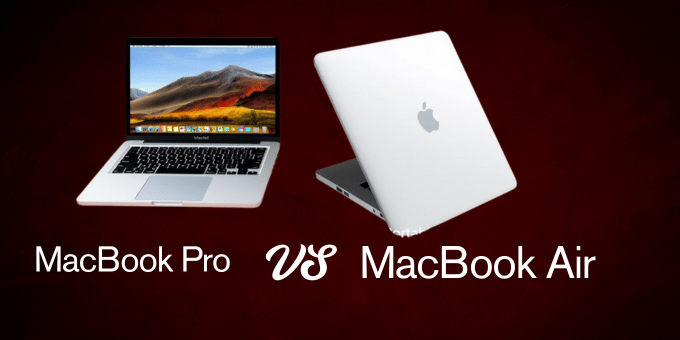
Apple’s MacBook lineup has long dominated the premium laptop space, with the MacBook Pro and MacBook Air being the top choices for different types of users. While the MacBook Air is known for its portability and affordability, the MacBook Pro is preferred for its performance and professional-grade features. With the introduction of Apple’s new M4 chips, both lines have received notable upgrades, making the decision even more challenging for potential buyers.
This comprehensive guide compares the MacBook Pro vs MacBook Air across key factors like keyboard experience, pricing, weight, storage space, screen quality, and community feedback from platforms like Reddit. By the end, you’ll confidently choose the best MacBook for your needs, whether you’re a student, a creative professional, or a general user.
Introduction to MacBook Air and MacBook Pro
Apple offers multiple sizes and configurations for MacBook Air and MacBook Pro. The 2024-2025 lineup includes:
- MacBook Air: Available in 13-inch and 15-inch models, now with M3 chip (rumors suggest M4 for late 2025).
- MacBook Pro: Comes in 14-inch and 16-inch sizes, powered by the new M3 Pro, M3 Max, and expected M4 chips for the upcoming refresh.
While both models share Apple’s signature unibody aluminum design and macOS experience, their specs and intended use cases differ significantly.
MacBook Pro vs MacBook Air: Feature Comparison Table
| Feature | MacBook Air (13” / 15”) | MacBook Pro (14” / 16”) |
| Chip | Apple M3 (M4 rumored late 2025) | M3 Pro, M3 Max, M4 (latest models first to receive M4) |
| Weight | 2.7 lbs (13”) / 3.3 lbs (15”) | 3.5 lbs (14”) / 4.8 lbs (16”) |
| Keyboard | Magic Keyboard, silent, compact | More extended periods with a Magic Keyboard with enhanced thermals |
| Thermals | Fanless (quiet, but may heat under load) | Active cooling with dual fans (more incredible during heavy tasks) |
| Display | True Tone, P3 color, 500 nits, Liquid Retina (IPS) | Liquid Retina XDR, Mini-LED, HDR, 1,600 nits, 120Hz ProMotion |
| Storage Options | 256GB – 2TB | 512GB – 8TB |
| RAM Options | 8GB – 24GB | 18GB – 128GB |
| Battery Life | Up to 18 hours | Up to 22 hours |
| Charging | 30W–35W USB-C, MagSafe 3 (from M2 and newer) | 96W (16”), 67W (14”), and quick charging (50 percent in around 30 minutes) |
| Ports | 2x Thunderbolt / USB-C, 3.5mm, MagSafe 3 | 3x Thunderbolt 4, HDMI, SDXC, 3.5mm, MagSafe 3 |
| Price Range (USD) | $1,099 – $1,699 | $1,999 – $6,999 |
| Portability | Extremely lightweight and travel-friendly | Bulkier but powerful and still relatively portable |
| Ideal For | Students, casual users, writers, and light creative work | Creatives, developers, video editors, and music producers |
| Reddit Feedback | “Great value for light tasks, super portable” | “XDR display & ports = pro-grade machine, but overkill for some.” |
Keyboard Experience
MacBook Air
- features a scissor-switch mechanism on the Magic Keyboard.
- Typing feels tactile, smooth, and consistent.
- The fanless design keeps typing silent and is ideal for libraries or shared workspaces.
- Limited thermal headroom may result in keyboard area warming under load.
MacBook Pro
- It also features the Magic Keyboard but benefits from improved thermal management.
- The keyboard deck remains cooler during intense tasks like video editing or coding.
- Thanks to more space and cooler hardware, it offers better comfort for prolonged typing sessions.
Reddit Opinions
“The Air keyboard is fantastic for everyday use, but on my Pro, it feels more stable and consistent even after hours of typing.” Reddit user on r/MacBook
Price Comparison
MacBook Air Pricing
MacBook Air Pricing The 13-inch M3 MacBook Air starts at $1,099, making it the most affordable entry point into Apple’s laptop ecosystem for 2025. For users who prefer a larger screen without sacrificing portability, the 15-inch M3 MacBook Air begins at $1,299. Both models can be upgraded with higher RAM and storage configurations, pushing the price to a maximum of $1,699 for a fully loaded variant.
MacBook Pro Pricing
The professional version of the 14-inch MacBook Pro with the M3 Pro chip costs $1,999. For those requiring even more performance, the 16-inch MacBook Pro powered by the M3 Max begins at $2,499. Users looking for the absolute best Apple offers in 2025 can expect high-end models equipped with the upcoming M4 chips to exceed $6,000, especially when configured with up to 8TB of storage.
Budget Tip
The MacBook Air provides exceptional value for students, casual users, and mobile professionals who prioritize affordability and battery life. However, the MacBook Pro is a smarter investment for those needing higher processing power, more ports, and superior display quality, making it the preferred choice for creatives, developers, and power users.
Weight and Portability
MacBook Air
- Extremely lightweight: 2.7 lbs (13 inch), 3.3 lbs (15 inch)
- Ideal for commuting, travel, or working on the go
- The tapered, thin design fits easily in small bags
MacBook Pro
- Heavier build: 3.5 lbs (14 inch), 4.8 lbs (16 inch)
- More robust construction to accommodate fans and larger batteries
- It is less portable but still slim for a powerful machine
Reddit Opinions
“I love my 15” Air for daily work. It’s light as a feather. The Pro feels too heavy to carry around every day.” Reddit user on r/Apple
Storage and Memory Comparison
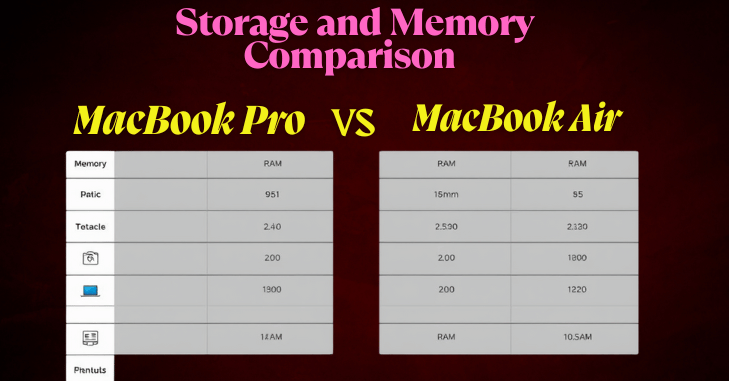
The MacBook Air base model has a 256GB SSD and 8GB of RAM, which is adequate for students, writers, and users handling everyday tasks or light creative work. For those needing more capacity, it can be configured with up to a 2TB SSD and 24GB of RAM, offering flexibility without a significant jump in cost.
On the other hand, the MacBook Pro starts with a more robust 512GB SSD and 18GB of RAM, catering to users with higher performance demands. Professionals in software development, video editing, or 3D rendering will find it ideal because it is fully scalable up to an 8TB SSD and 128GB of RAM.
Pro Tip: If you frequently multitask or use resource-intensive applications, it’s wise to opt for at least 16GB of RAM and a 512GB SSD to ensure smooth performance and future-proof your machine.
Display and Screen Quality
MacBook Air
The MacBook Air features a vibrant Liquid Retina IPS display with excellent sharpness and accurate color reproduction. With a brightness level of 500 nits, support for the P3 wide color gamut, and Apple’s True Tone technology, the Air’s screen provides a visually pleasant experience for everyday use, including browsing, writing, streaming, and light photo editing.
MacBook Pro
The MacBook Pro, however, takes display technology to a whole new level. It boasts a Liquid Retina XDR screen with Mini-LED backlighting, delivering significantly higher sustained brightness at 1,000 nits and peak brightness up to 1,600. The Pro also supports HDR content and includes a 120Hz ProMotion refresh rate, which results in buttery-smooth motion, making it ideal for professionals who require high visual fidelity—especially video editors, photographers, and digital creatives.
Reddit Opinions
“Once you go XDR, you can’t go back. The Pro’s display is simply stunning for photo work and HDR movies.” – Reddit user on r/macbookpro
Battery Life and Charging
MacBook Air
- Up to 18 hours of battery life
- 30W to 35W charger (USB-C)
- MagSafe 3 charging is available on M2 and later models
MacBook Pro
- Up to 22 hours of battery life
- 67W (14″) or 96W (16″) fast chargers
- Can charge to 50% in ~30 minutes
The MacBook Pro often outlasts the Air despite more powerful internals due to a larger battery.
Ports and Connectivity
MacBook Air
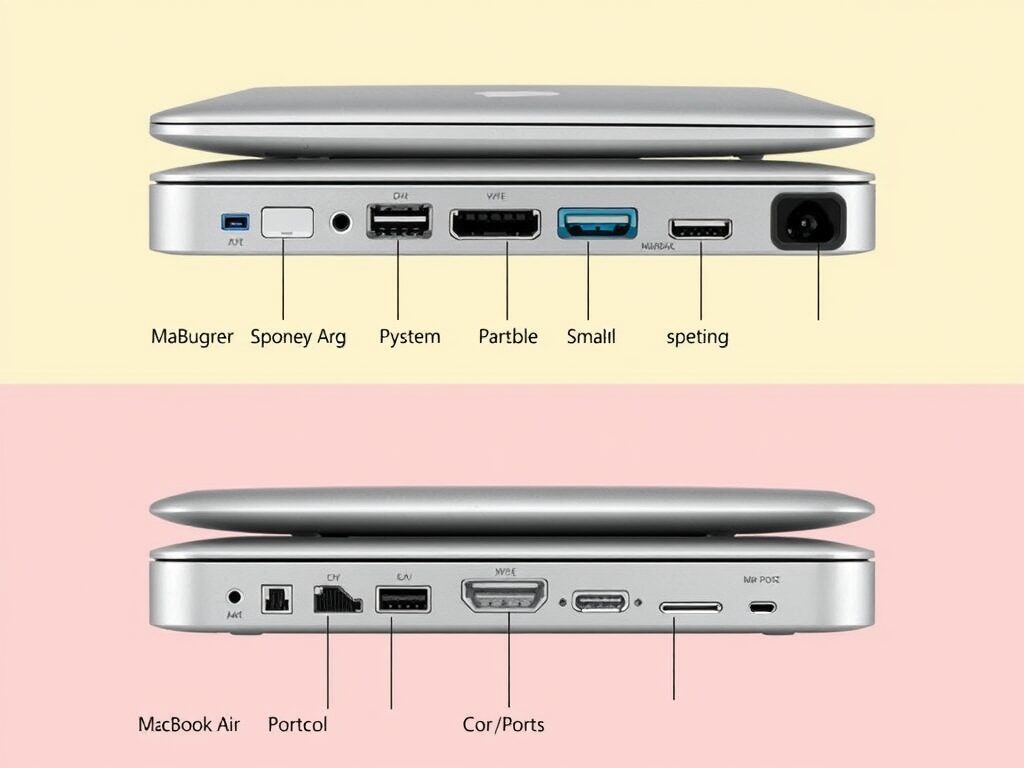
- The MacBook Air offers a minimalist but functional selection of ports. It includes two Thunderbolt/USB-C ports, a 3.5mm headphone jack, and MagSafe 3 for dedicated charging. This setup is sufficient for most everyday users, especially students and writers who primarily use wireless peripherals or occasional USB-C accessories.
MacBook Pro
- The MacBook Pro, on the other hand, caters to power users and creative professionals with a more versatile range of ports. It includes three Thunderbolt 4 ports, an HDMI port for direct display connections, an SDXC card slot for photographers and videographers, a 3.5mm headphone jack, and MagSafe 3 charging. This expanded connectivity significantly reduces the need for adapters or dongles.
Reddit Opinions
“The extra ports on the Pro are lifesavers. No dongles needed when presenting or offloading photos from SD cards.” – Reddit user on r/mac
M4 Chip
Apple plans to launch the rumored M4 chip in late 2025 and begin the rollout with new MacBook Pro models. With this release, Apple plans to focus heavily on AI performance, power efficiency, and GPU advancements.
Among the most discussed improvements are an enhanced Neural Engine tailored for AI-driven applications, increased CPU and GPU cores, upgraded memory bandwidth, and better thermal efficiency that will likely reduce fan noise and internal heat.
While MacBook Air models may eventually adopt the M4 chip in subsequent updates, MacBook Pro users will likely be the first to experience the next-generation performance leap, making it an appealing option for power users and creative professionals.
Reddit Consensus: Real Users Weigh In
We analyzed hundreds of Reddit threads to identify key patterns in user opinions. Here’s what stood out:
MacBook Air Praise
- “Perfect for 90% of tasks: emails, web, docs, and light creative work.”
- “Battery lasts forever and feels premium without being bulky.”
MacBook Pro Praise
- “If you do any kind of heavy lifting, get the Pro. Worth every penny.”
- “The XDR display is amazing. I can’t imagine going back to an Air.”
Common Criticisms
- Air: “Can get hot during Zoom + Chrome + multitasking.”
- Pro: “Overkill for everyday tasks unless you’re doing pro work.”
Choosing the Right Model: Which One is for You?
Choose the MacBook Air if you’re a student or casual user who values excellent battery life and portability. It’s ideal for light tasks such as photo editing, writing, and browsing. Additionally, its fanless design ensures a quiet computing experience, making it perfect for libraries, classrooms, and coffee shops.
On the other hand, choose the MacBook Pro if you’re a creative professional in video production, software development, or music composition. It performs better under sustained loads and easily handles large files or 4K+ video content. The Pro also offers more ports for connectivity and features the best Apple display, making it the go-to option for demanding workflows.
Final Verdict
The MacBook Air is an ultra light, high-performance machine ideal for general use, offering incredible value and portability. The MacBook Pro, on the other hand, is a performance beast with unmatched display quality and processing power for professionals.
The Air wins if you focus on budget, battery life, and weight. The Pro is your go-to if your priority is screen quality, raw performance, and expandability.
Conclusion
Choosing between the MacBook Pro vs MacBook Air ultimately depends on your use case, priorities, and budget. If you’re a student, a casual user, or someone who values portability, battery life, and affordability, the MacBook Air is a fantastic choice. It delivers excellent performance for everyday tasks, features a vibrant display, and offers a sleek, quiet, fanless design. With options like the M3 MacBook Air, up to 24GB of RAM, and 2TB of storage, it’s a powerful companion for most users.
However, the MacBook Pro is the better investment if you’re a creative professional, developer, or power user who frequently works with intensive applications or large files. With powerful configurations of up to 128GB of RAM, 8TB of storage, and the expected M4 MacBook Pro, it provides unmatched performance, superior thermal management, additional ports, and a stunning Liquid Retina XDR display.
Across Reddit, user sentiment supports these conclusions: the MacBook Air is ideal for light, daily use, while the MacBook Pro shines when you need maximum power, advanced screen quality, and professional-grade features. With upgrades like better keyboards, ProMotion technology, and longer battery life, the MacBook Pro vs MacBook Air comparison often comes down to how much performance you truly need.
Whether you prioritize weight, screen size, price, or processing power, Apple’s MacBook comparison shows there’s a model tailored to every user—from budget-conscious students to high-end content creators.
Want to know about “Running Safari on Windows: Emulation Techniques and Browser Compatibility Testing” Check out our “Tech” category.
FAQs
First, I recommend considering a MacBook’s computing power, storage capacity, display, and size. The MacBook Pro, for example, is, far and away, the “better” computer in terms of hardware. It’s more powerful, has a bigger screen, and more storage, among other things.
We recommend Apple’s 14-inch and 16-inch MacBook Pros only to those who need the extra processing power, including professional media editors, coders who need to compile large projects, and 3D designers.
The main disadvantages of buying a MacBook Air include limited processing power for intensive tasks, fewer ports, lower RAM and storage ceiling, less advanced display compared to the MacBook Pro.
The Air may last longer on light tasks, the Pro might outlast the Air in demanding situations, when you need that extra bit of battery power.