


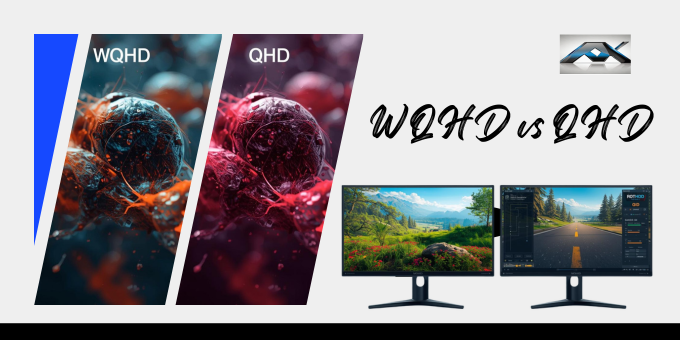
Choosing the right display resolution is one of the most important decisions when buying a monitor, laptop, or even a gaming setup. When exploring modern displays, many users encounter the terms WQHD and QHD and often feel confused. A good resolution not only improves visual clarity but also enhances productivity, gaming performance, and overall user experience. Are they the same? Is one better than the other? Or is it just a marketing difference?
The reality is that both terms are closely related, but understanding their subtle differences can help you make a smarter buying decision. Whether you are a gamer looking for smooth performance, a professional needing more workspace, or a casual user wanting better visuals, this guide will give you a clear and practical understanding.
We will break down everything you need to know about WQHD vs QHD, including features, image quality, gaming performance, real-world usage, and which option is best for your needs.
WQHD vs QHD: Detailed Comparison Table
| Feature | Details |
|---|---|
| Definition | QHD means Quad High Definition, while WQHD stands for Wide Quad High Definition |
| Standard Resolution | QHD uses 2560 × 1440 pixels |
| WQHD Resolution | WQHD can be 2560 × 1440 or 3440 × 1440 (ultrawide) |
| Pixel Count | Both offer high pixel density for sharp visuals |
| Aspect Ratio | QHD uses 16:9, while WQHD may use 16:9 or 21:9 |
| Screen Format | QHD is standard widescreen, WQHD can be standard or ultrawide |
| Image Quality | Both provide excellent clarity and detail |
| Sharpness | Equal sharpness when the resolution is the same |
| Viewing Experience | WQHD ultrawide offers a more immersive experience |
| Gaming Performance | QHD provides better FPS due to fewer pixels |
| GPU Requirement | WQHD ultrawide requires more powerful hardware |
| Productivity | WQHD is better for multitasking and the workspace |
| Screen Size Suitability | QHD is best for 24–27 inches |
| Large Display Support | WQHD works better for 27–34+ inches |
| Price Range | QHD monitors are generally more affordable |
| Cost Difference | WQHD ultrawide monitors cost more |
| Availability | Both are widely available in modern devices |
| Use Case (Gaming) | QHD suits competitive gaming |
| Use Case (Work) | WQHD suits creative and multitasking work |
| Eye Comfort | Both reduce strain compared to lower resolutions |
| Upgrade Value | Both are strong upgrades over Full HD |
| Market Popularity | QHD is more common, WQHD is growing fast |
| Compatibility | Supported by most modern GPUs and systems |
| Future-Proofing | Both are considered future-ready resolutions |
| Overall Verdict | Choose QHD for performance, WQHD for immersion and space |
WQHD vs QHD: Key Differences Explained
1. Resolution and Pixel Count
- QHD: 2560 × 1440
- WQHD (standard): Same as QHD
- WQHD (ultrawide): 3440 × 1440
Key Point:
There is usually no difference, unless WQHD refers to an ultrawide display.
2. Aspect Ratio
- QHD: 16:9 (standard)
- WQHD: 16:9 or 21:9 (ultrawide)
Ultrawide WQHD delivers a wider, more cinematic experience.
3. Screen Size Compatibility
- QHD: Best for 24 to 27 inches
- WQHD: Best for 27 to 34 inches or larger
Larger screens benefit from WQHD, as it maintains clarity while offering more space.
4. Pricing and Availability
- QHD monitors: More affordable and widely available
- WQHD ultrawide: Slightly more expensive
What Is QHD (Quad High Definition)?
QHD stands for Quad High Definition, a popular resolution widely used in modern displays.
- Resolution: 2560 × 1440 pixels
- Aspect ratio: 16:9
- Common name: 1440p
QHD offers four times more detail than standard HD (720p) and significantly sharper visuals than Full HD (1080p). It provides a perfect balance between performance and image quality.
Why QHD Is Popular?
- Clear and sharp visuals
- Better screen space for multitasking
- Smooth performance for gaming and daily use
- Affordable compared to 4K displays
What Is WQHD (Wide Quad High Definition)?
WQHD stands for Wide Quad High Definition. It is often used to describe displays with a wider screen format.
Understanding WQHD
- Standard meaning: 2560 × 1440 (same as QHD)
- Ultrawide meaning: 3440 × 1440
In most cases, manufacturers use WQHD and QHD interchangeably, especially standard monitors. However, WQHD can also refer to ultrawide displays, which offer more horizontal space.
Image Quality: Which Looks Better?
Both QHD and WQHD offer excellent image quality, but the experience depends on how the display is used.
QHD Image Quality
- Sharp and detailed visuals
- Ideal for reading, coding, and office tasks
- Consistent clarity on standard screens
WQHD Image Quality
- Same sharpness (standard version)
- Wider field of view (ultrawide)
- More immersive visuals for movies and games
Final Verdict on Image Quality:
There is no major difference in sharpness, but the WQHD ultrawide provides a more engaging visual experience.
Gaming Performance: WQHD vs QHD

Gaming performance depends heavily on resolution.
QHD for Gaming
- Easier for GPUs to handle
- Higher frame rates (FPS)
- Ideal for competitive gaming
WQHD for Gaming
- Wider field of view
- More immersive gameplay
- Slightly heavier on GPU (ultrawide)
Best Choice for Gamers
- Fast-paced competitive games: QHD
- Story-based or immersive games: WQHD ultrawide
Productivity and Work Use Cases
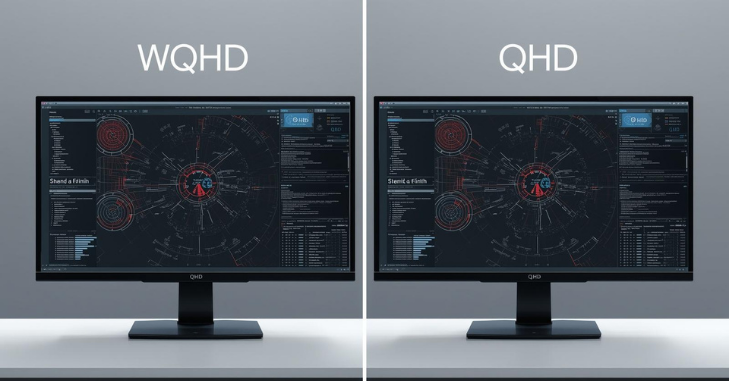
QHD for Work
- Great for everyday tasks
- Clear text and images
- Good for multitasking
WQHD for Work
- Extra horizontal workspace
- Better for editing, design, and trading setups
- Ideal for multiple windows
Real-World Use Cases
Choose QHD If You:
- Want better performance
- Use a medium-sized monitor
- Play competitive games
- Have a mid-range PC
Choose WQHD If You:
- Prefer ultrawide screens
- Work with multiple applications
- Enjoy immersive content
- Want a modern, premium setup
Pros and Cons of WQHD vs QHD
QHD Pros
- Affordable
- Excellent clarity
- Better gaming performance
QHD Cons
- Less immersive
- Limited width
WQHD Pros
- Wider display
- Better multitasking
- More immersive
WQHD Cons
- Higher cost
- Needs stronger hardware
Detailed Comparison Table: WQHD vs QHD
Quick Overview Table
| Feature | QHD | WQHD |
| Resolution | 2560 × 1440 | 2560×1440 or 3440×1440 |
| Aspect Ratio | 16:9 | 16:9 or 21:9 |
| Screen Size | 24–27 inches | 27–34+ inches |
| Gaming Performance | Higher FPS | Slightly lower FPS |
| Immersion | Standard | High |
| Price | Lower | Higher |
| Best Use | Gaming, office | Editing, multitasking |
Common Misconceptions
- WQHD is always better than QHD.
- WQHD always means ultrawide.
- QHD is outdated.
Expert Insight

From a practical perspective, both QHD and WQHD offer excellent value. They provide a strong balance between clarity and performance without the high cost of 4K.
For most users:
- QHD is the best all-rounder
- WQHD ultrawide is ideal for advanced users and immersive setups
Conclusion
The comparison between WQHD vs QHD is often misunderstood, but the answer is quite simple once you break it down. In most situations, WQHD and QHD refer to the same 1440p resolution, meaning there is no real difference in image quality or sharpness. The confusion arises when WQHD is used to describe ultrawide displays, which offer extra horizontal space and a more immersive viewing experience.
Your choice should not be based on the name alone. Instead, focus on how you plan to use your display. If you want smooth gaming performance, affordability, and balanced usability, QHD is the perfect option. On the other hand, if you value screen space, multitasking, and immersive visuals, WQHD ultrawide is worth considering. In today’s digital world, both resolutions are highly relevant and future-proof for most users. They deliver excellent performance without the high cost and hardware demands of 4K.
Want to know about Interactive 3D Viewers: Bridging the Gap Between Online and In-Store Shopping Check out our Tech category.
Frequently Asked Questions (FAQs)
Yes, in most cases, WQHD and QHD are the same resolution (2560 × 1440). The term WQHD is often used as a marketing label, but technically, both refer to 1440p displays. However, WQHD can sometimes refer to ultrawide resolutions such as 3440 × 1440.
Neither is inherently better. If both refer to 2560 × 1440, they are identical. However, WQHD ultrawide monitors offer a wider screen, making them better for multitasking and immersive experiences.
Yes, WQHD is excellent for gaming. It provides sharp visuals and a wider field of view, especially in ultrawide setups. However, it may require a more powerful GPU than a standard QHD one.
If both are 2560 × 1440, performance is the same. But ultrawide WQHD (3440 × 1440) uses more pixels, which can slightly reduce frame rates compared to standard QHD.
Yes, QHD offers much sharper image quality, more screen space, and better detail than Full HD. It is a noticeable upgrade for both work and entertainment.
For standard QHD, a mid-range PC or GPU is usually enough. For ultrawide WQHD, you may need a higher-end graphics card to maintain smooth performance, especially in gaming.